

Change the look
Checked against GM-Apprentice 1.12.98.
Your campaign site's look is a handful of settings in one file in your
vault, _meta/vault-config.yaml. You rarely need to open it: say what you
want in your own words and the apprentice changes the setting and rebuilds
the site.
From a real run
Section titled “From a real run”On GM-Apprentice 1.12.98, using the Snowbound sample vault
(tag sample-v2) after publishing it.
We typed the GM's side; the replies are the agent's own, trimmed ([...])
but not reworded.
Before: the sample's own colours and lettering, chosen when its site was first set up.
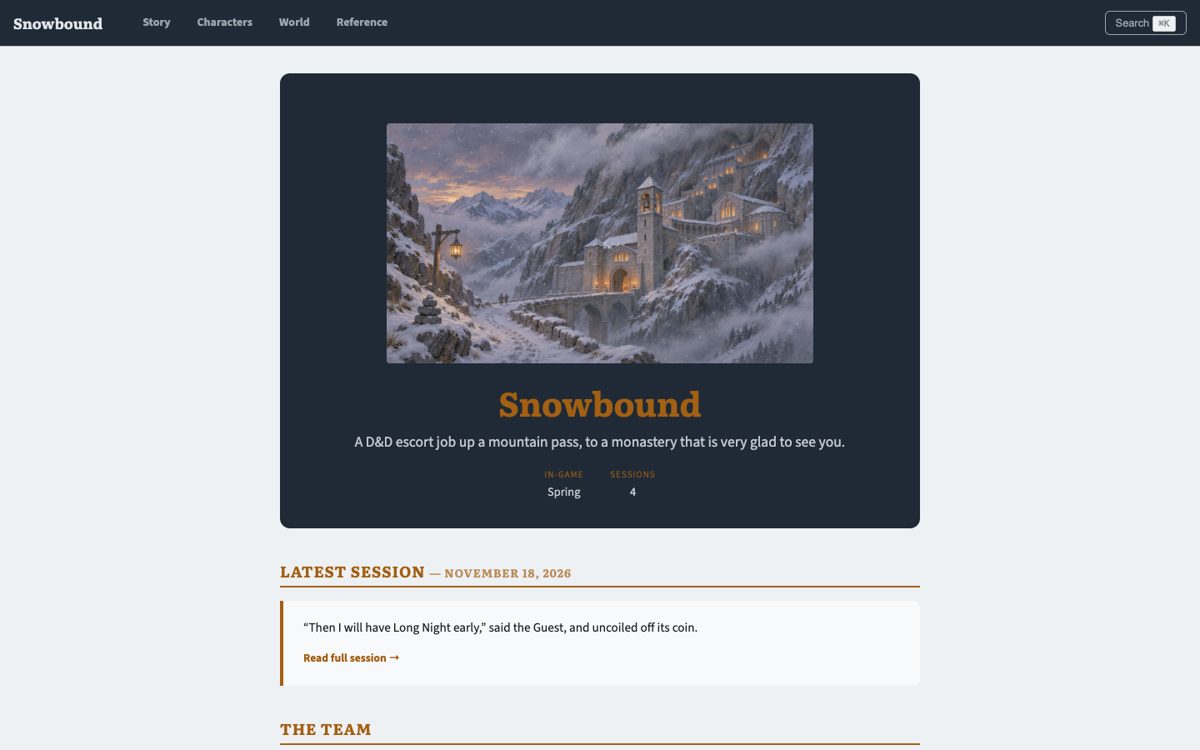
You type
Give the campaign site the fantasy look, then rebuild it so I can see it.
The apprentice
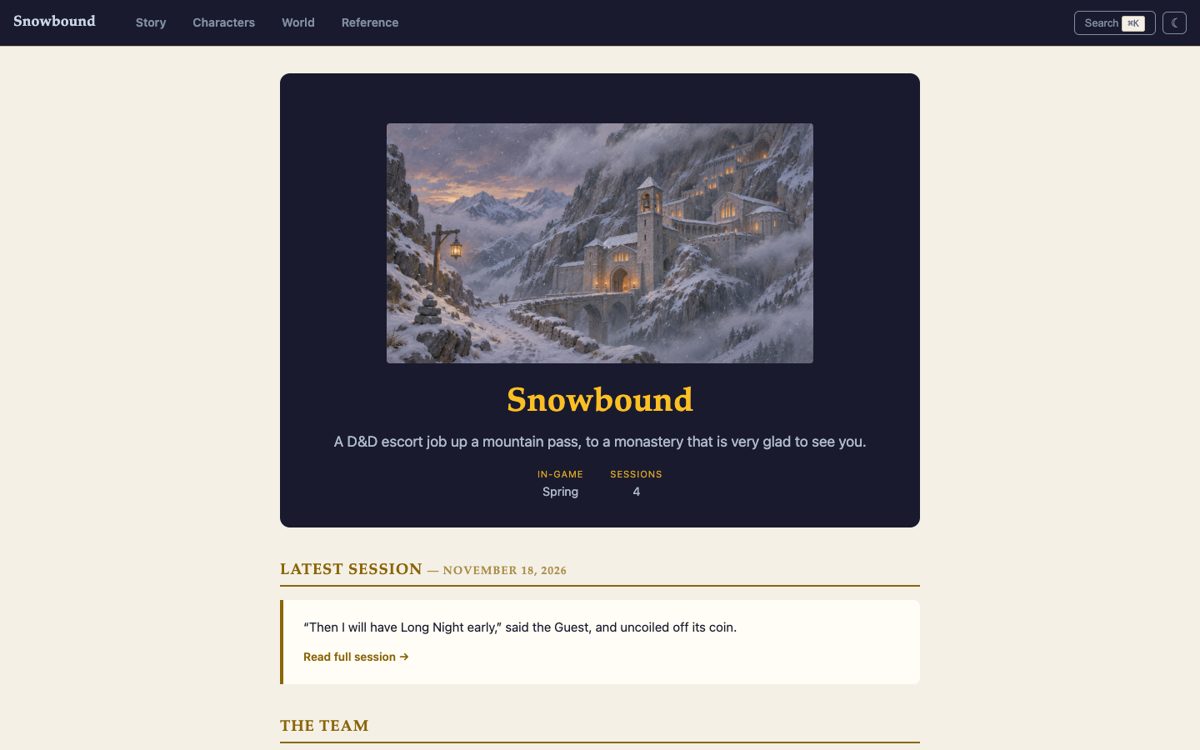
The Snowbound site now uses the fantasy look and has been rebuilt on your machine. [...]
- I set the site's genre to fantasy.
- I removed your own colour scheme (slate blue, amber and pale grey) and your heading and body fonts (Literata, Source Sans 3). Any colour or font you set yourself replaces the fantasy one, so the new look wouldn't have shown while they were there. [...]
Then the character sheets:
You type
Nice. Now give the character sheets the parchment look with a gilt frame round the portraits, and rebuild.
The apprentice
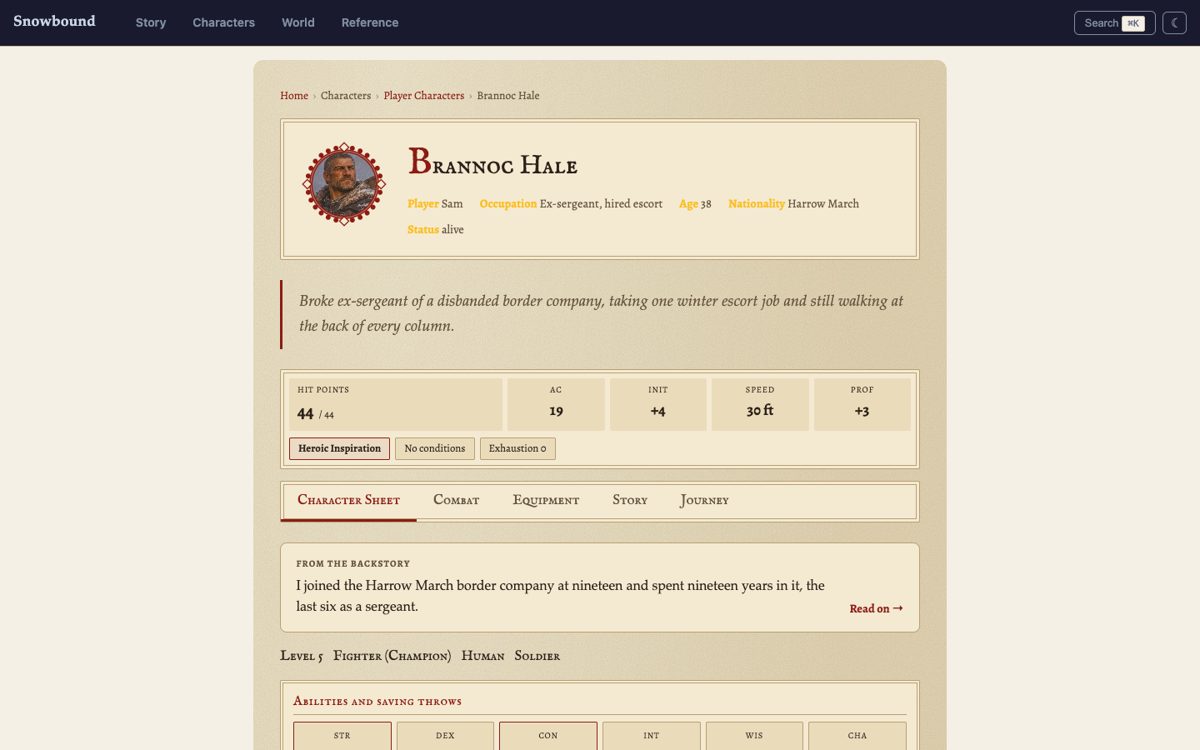
The character sheets now use the parchment look with a gilt frame round the portraits, and the site has been rebuilt. [...]
- One character only: If you ever want one PC to look different, that can be set in their own note.
What you can change
Section titled “What you can change”A ready-made look. Five genres, each with its colours, lettering, a
light and dark pair, and its own names for the lists of places, factions
and creatures: fantasy, horror, noir, military and scifi. The
theme showcase has one
campaign in all five.
Your own colours. Main colour, accent, background and text. Set all four together. The trade: your own colours replace the genre's, and the light/dark button goes, because only the ready-made looks come in pairs. Ask for "my own colours: deep red accent, cream background..." and the apprentice fills in all four.
Lettering. A heading face, a body face and one for labels. A site the apprentice sets up downloads the typefaces once and serves them itself, so your players' browsers never contact Google. You can also use your own font files.
Character sheets. Five skins (plain, parchment, case-file,
console, ledger) and nine portrait frames (none, ring, laurel,
thorns, gilt, steel, corners, hex, cracked). One character
can have their own, set in their note.
Pictures and words. A large picture at the top of the home page, a banner on every page, a one-line tagline, light or dark to start, your own headings for the lists of places, factions and items, and the message players see if they follow a link to a GM-only page.
Your own stylesheet. For the deep end: list .css files in the
settings and they load after the site's own. The site's
class names
and colour and size tokens
are documented and stay put between releases.
The settings behind it
Section titled “The settings behind it”Every setting, its values and its default: site settings in the plugin docs. A sample:
player_site: theme: genre: fantasy tagline: A D&D escort job up a mountain pass, to a monastery that is very glad to see you. sheets: skin: parchment frame: gilt